Building stakeholder alignment through IA, design, and UXR
Project
Role
User Research
UX Design
UI Design
Team
1 UX researcher
2 designers
(me as lead)
Year
2025
Overview
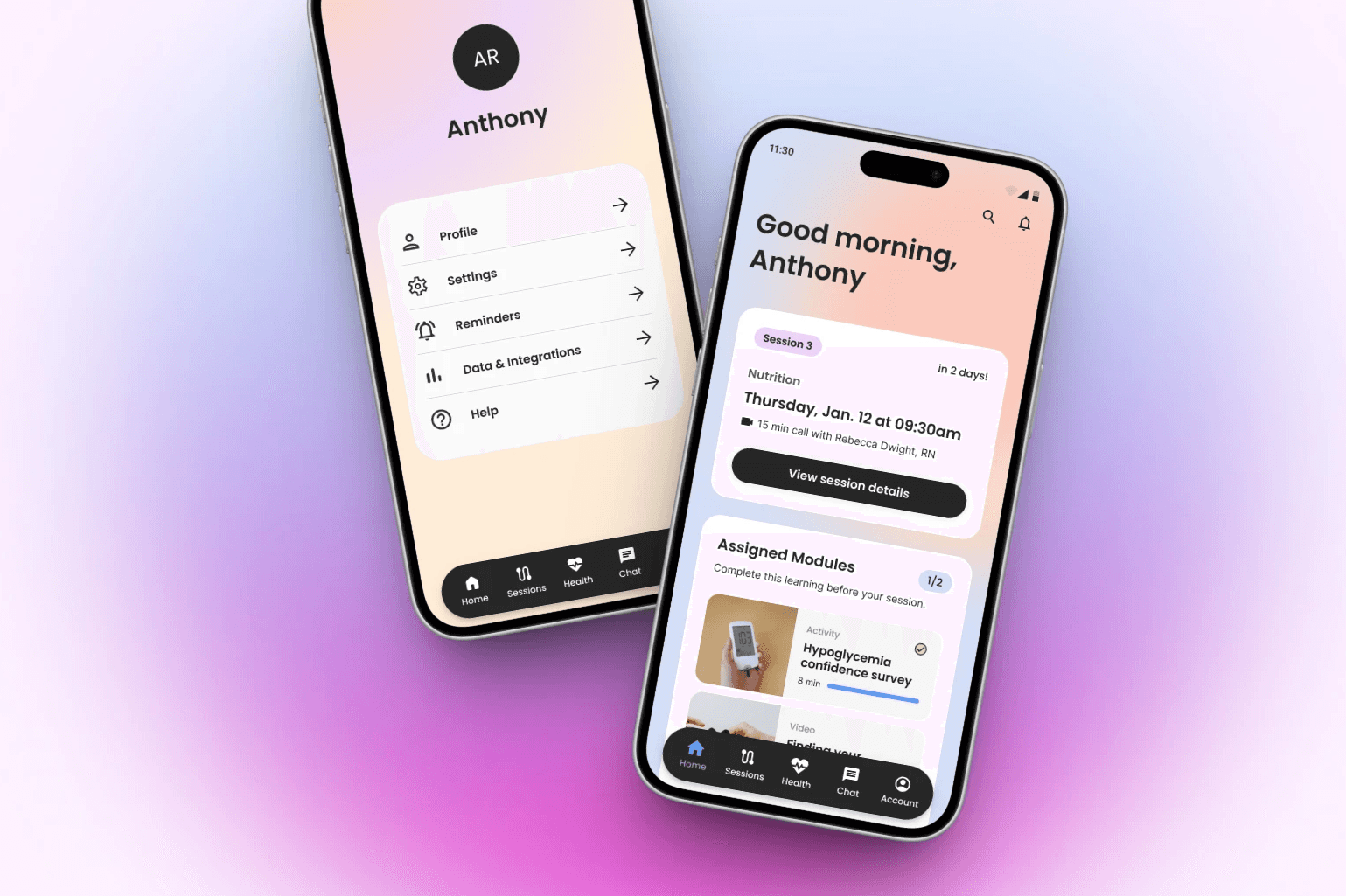
When a mobile patient support program began to feel fragmented and overwhelming, we paused execution to focus on the foundation.
My role was to bring clarity. Using structure, research, and design judgment to ensure the app supported patients without adding cognitive load, while still meeting adoption and engagement goals from day one.
This work set the direction for the entire product that was planned to launch in October 2025.
Project & Process
The challenge we faced and approach to tackle it
Early agency concepts gave the app a strong visual starting point, but the overall experience felt fragmented. Navigation, hierarchy, and screen patterns weren’t designed to scale and therefore risked overwhelming patients at critical moments.
Rather than pushing forward with piecemeal fixes, we stepped back to define the foundation.
How might we design an app structure that helps patients feel supported while driving adoption from day one?
This project focused on getting the structure right before adding complexity.
We took a holistic look at the app by:
Reviewing navigation, screen types, and hierarchy as a system
Leveraging what worked from prior agency and platform work
Validating assumptions through user research
Designing repeatable patterns the team could build on quickly
The goal was alignment across users, business needs, and the product team before accelerating execution.
Design principles leveraged throughout
Every decision was guided by a few clear priorities:
Reduce friction to key business outcomes
Align with user mental models
Lower cognitive load for a sensitive patient population
Simplify visual hierarchy so each screen has a clear purpose
These principles became the lens for all downstream decisions.
What changed
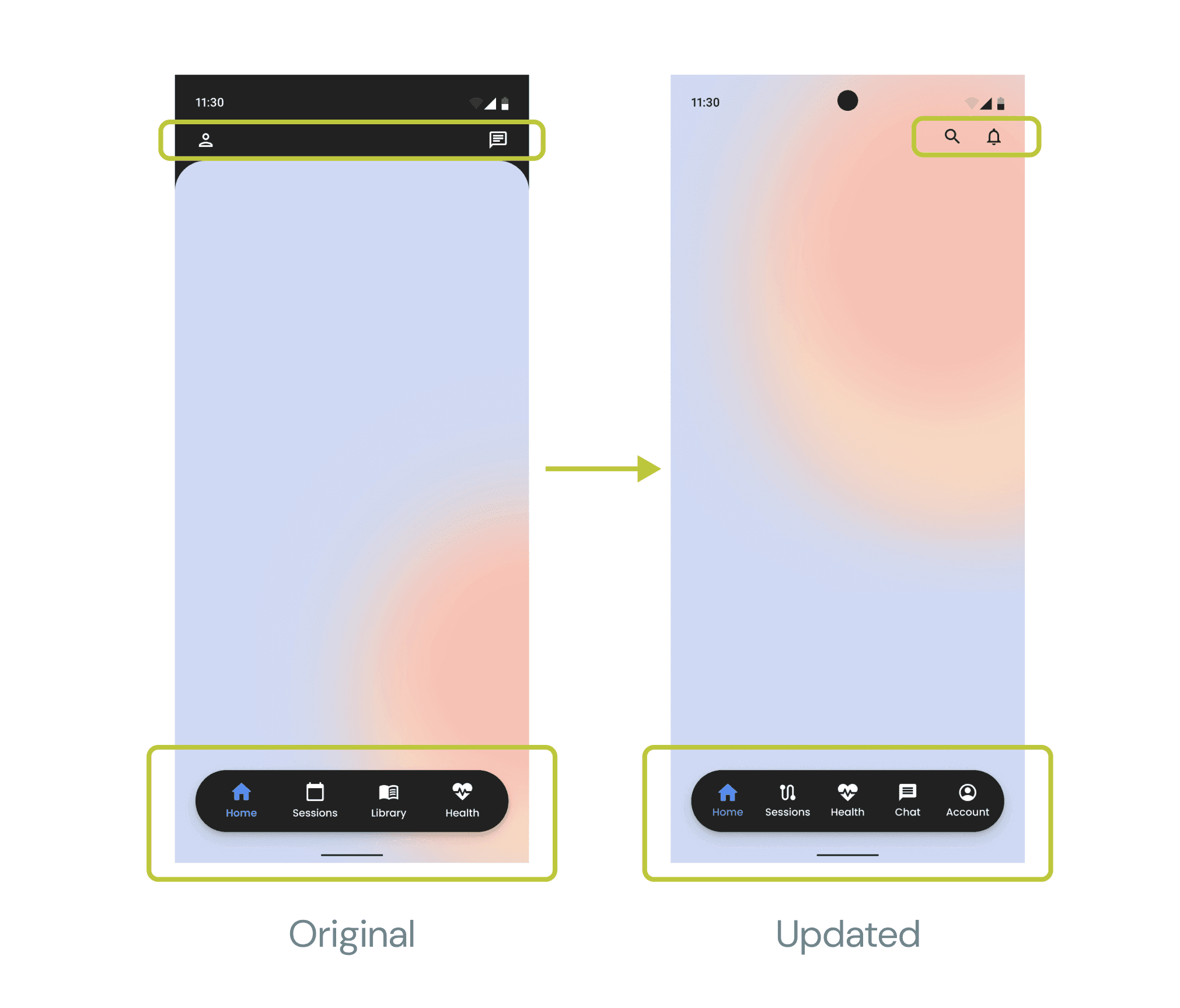
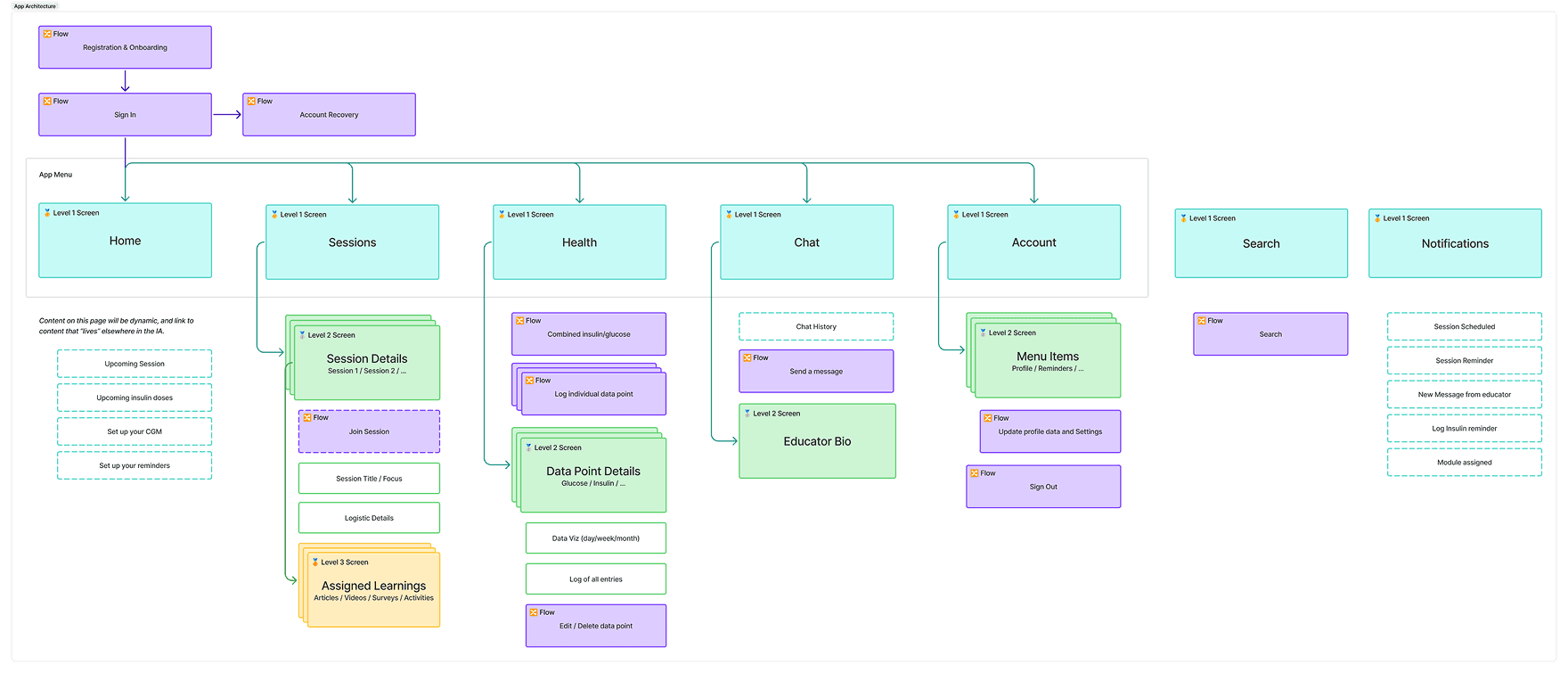
Navigation & IA
Elevated Chat as a core experience
Made Notifications globally accessible
Removed unnecessary destinations
Added Search to support quick wayfinding
We validated the structure through open card sorting with 22 participants, refining labels and groupings based on how users naturally organized content.
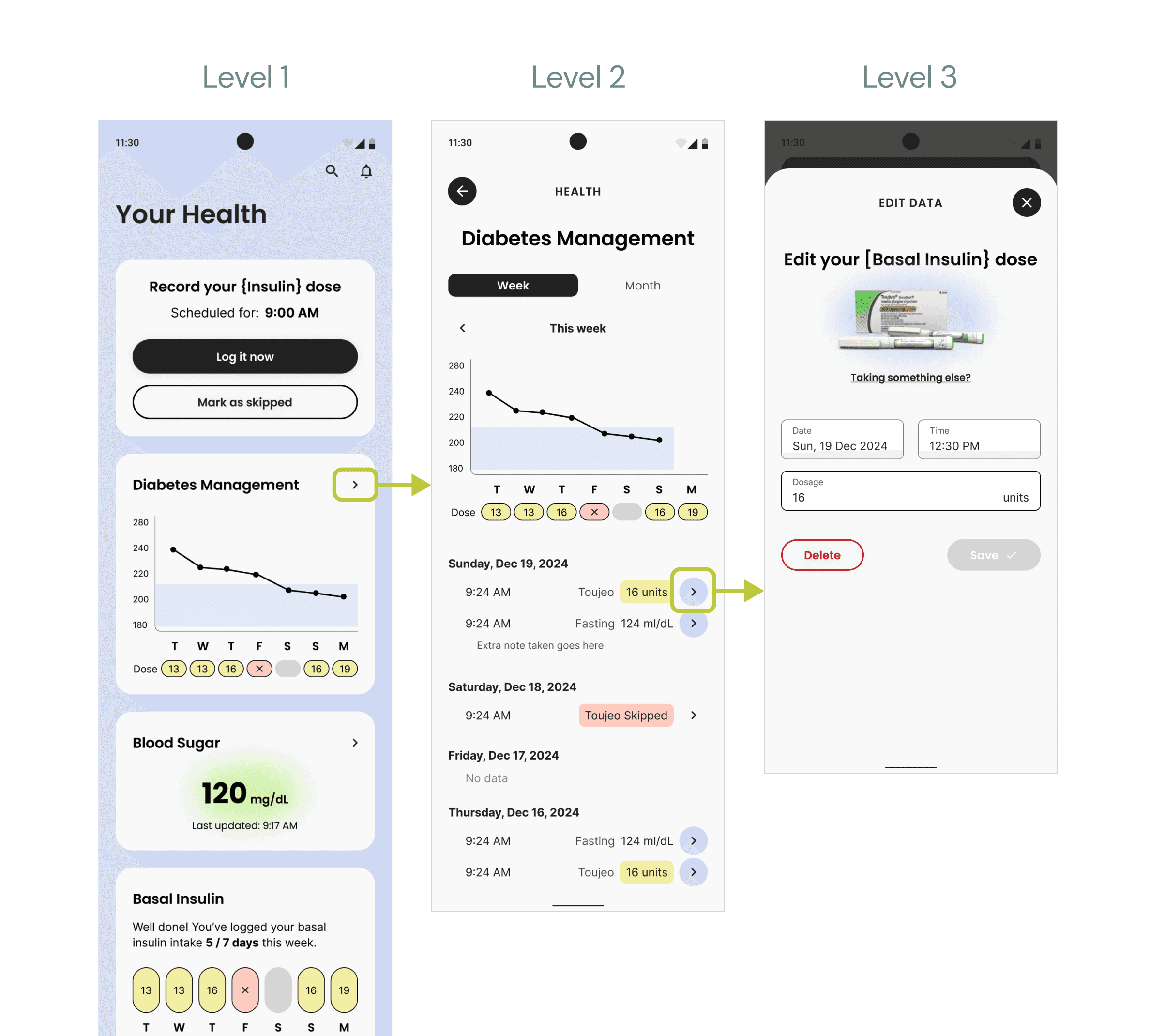
Screen-level patterns
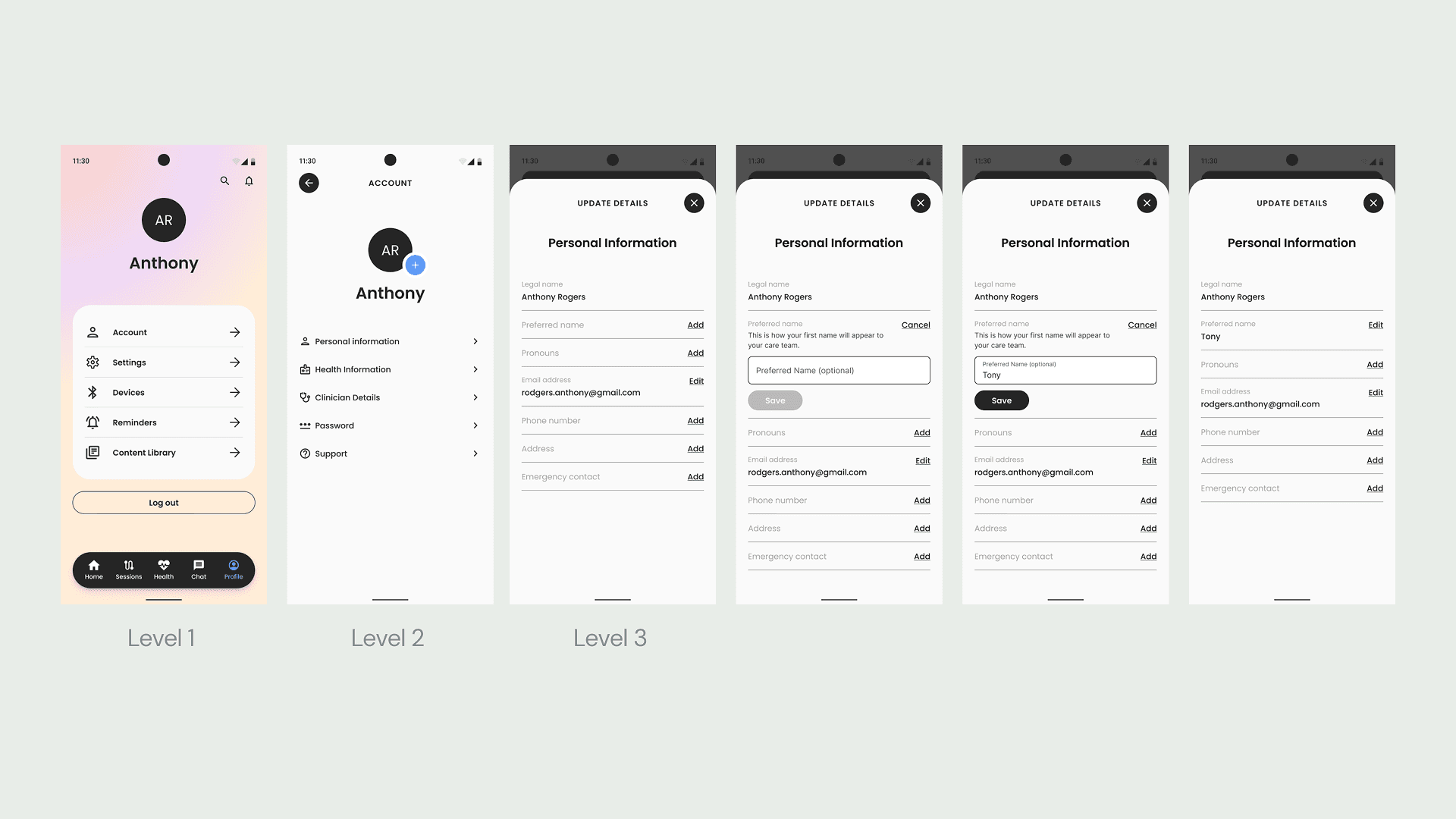
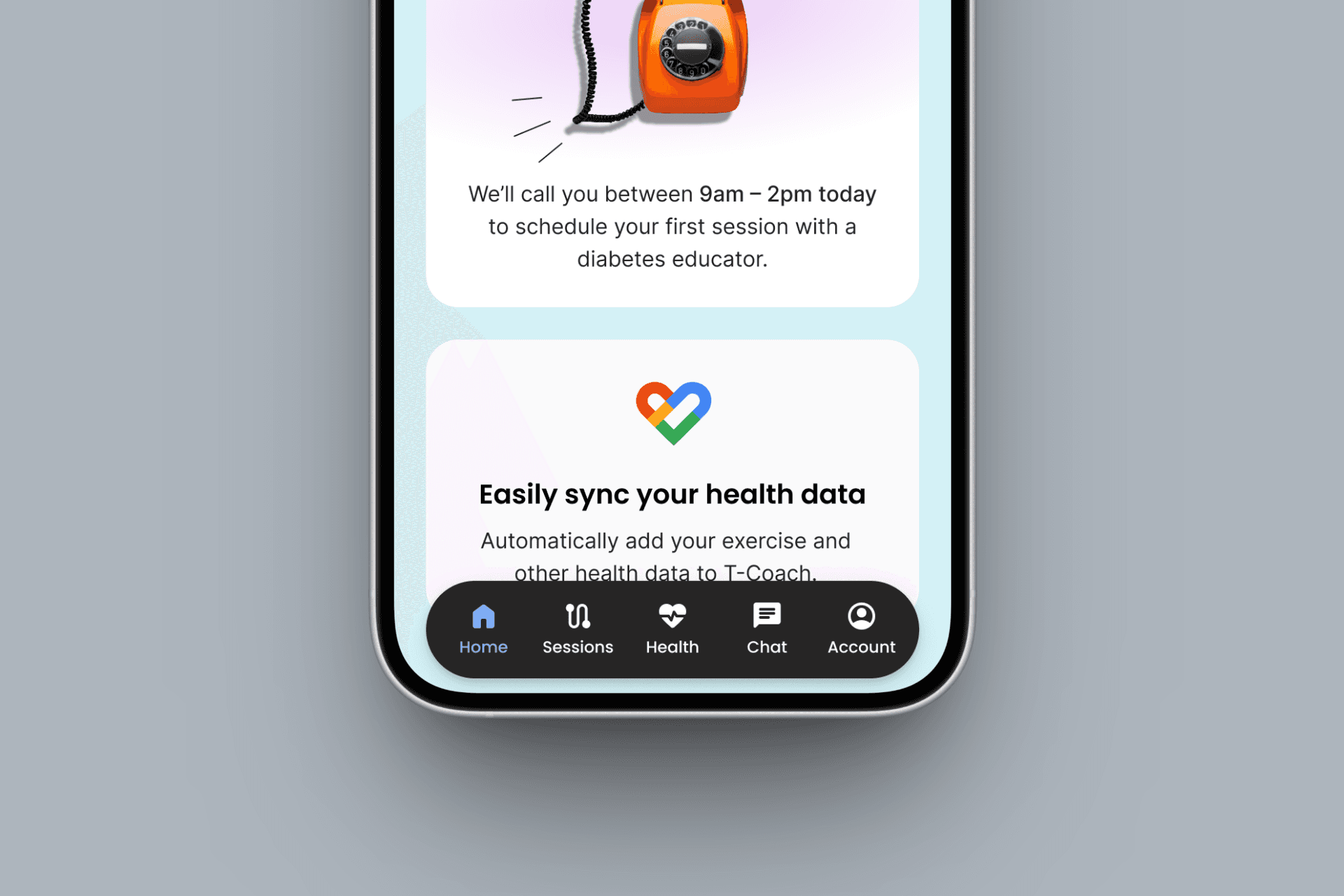
Defined three screen types, each with a distinct role
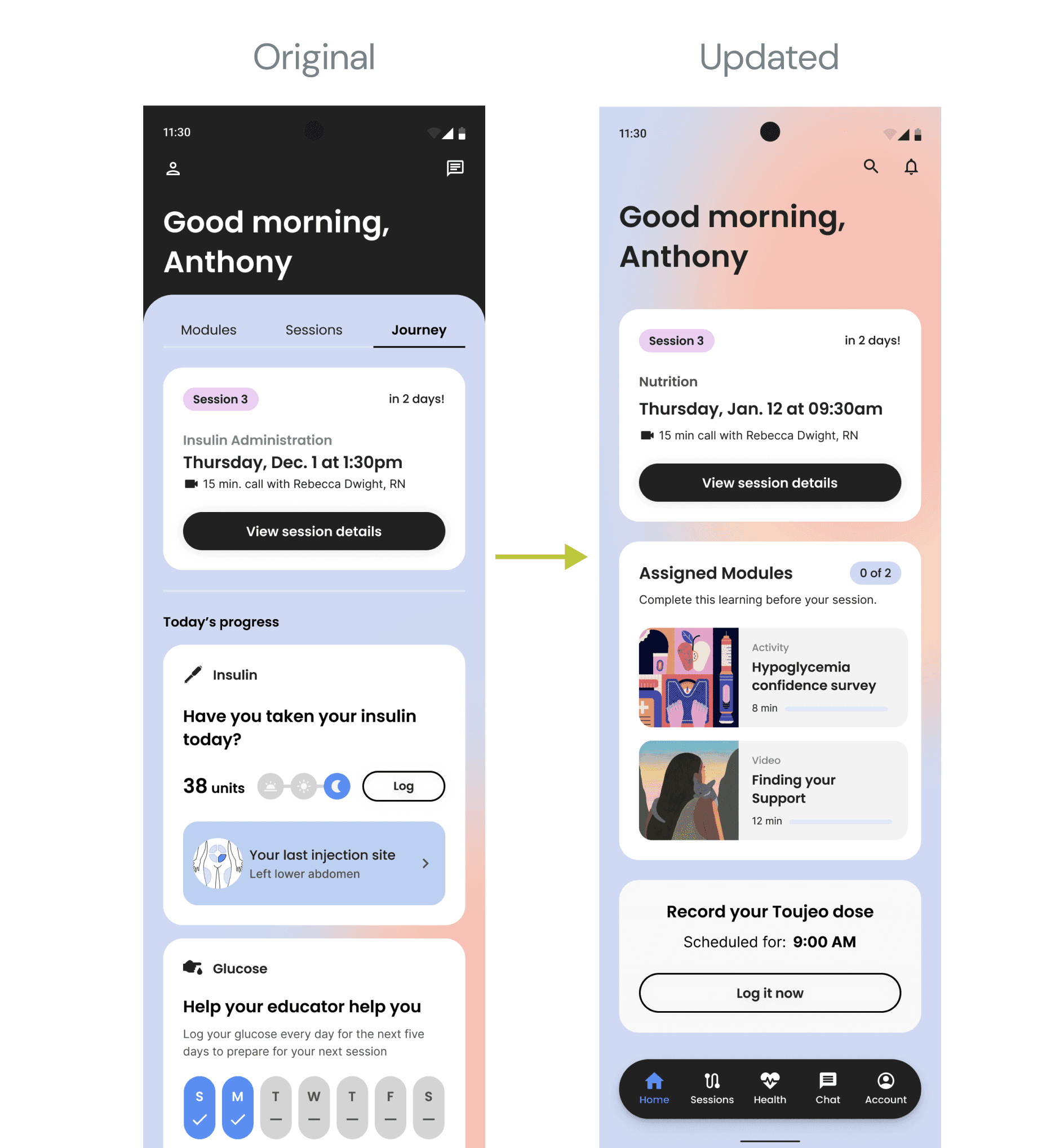
Reduced visual noise and competing elements
Created repeatable layouts that scale with new features
Visual direction
Tested background styles with 40 users living with diabetes
Balanced emotional warmth with clarity and calm
Avoided aesthetics that felt clinical or overwhelming
Outcomes & Learnings
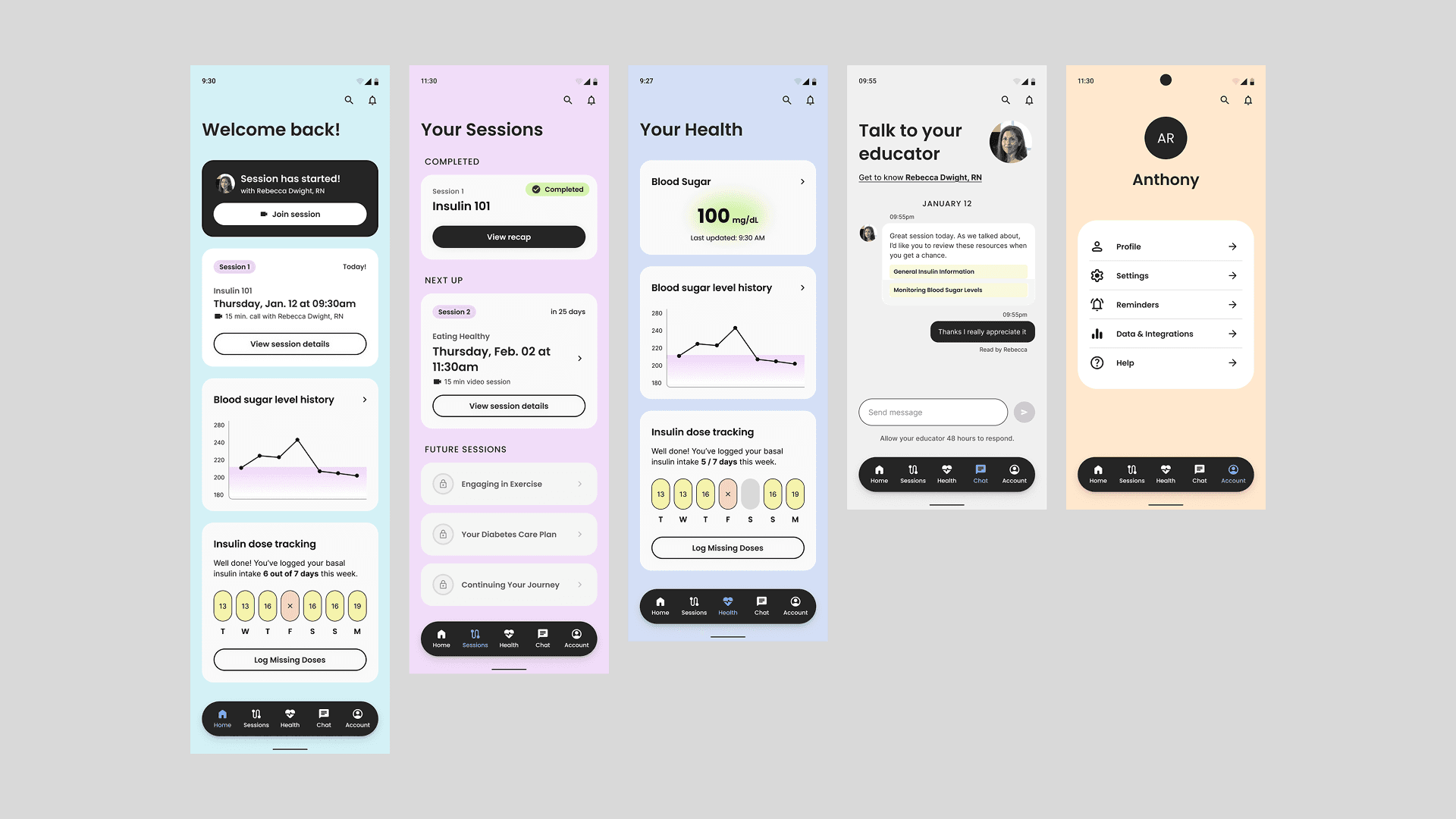
These foundational decisions shaped the full experience.
The final structure:
Guides users step by step without overwhelm
Supports confidence and trust early in the journey
Gives the product team a clear system to build on
We presented this work to internal teams and the customer, earning strong alignment and approval to move forward.
With structure, principles, and direction in place, the team was able to build the remaining experience with confidence. Moving faster now because the hard thinking was already done.