UI/UX overhaul for an 
AI-powered conservation platform

Core UI updates and user-centered improvements that push climate action forward with every click.

Core UI updates and user-centered improvements that push climate action forward with every click.

Role

UX Design

UI Design

Design System

Team

1 founder
1 FE engineer
1 designer (me)

Year

2025
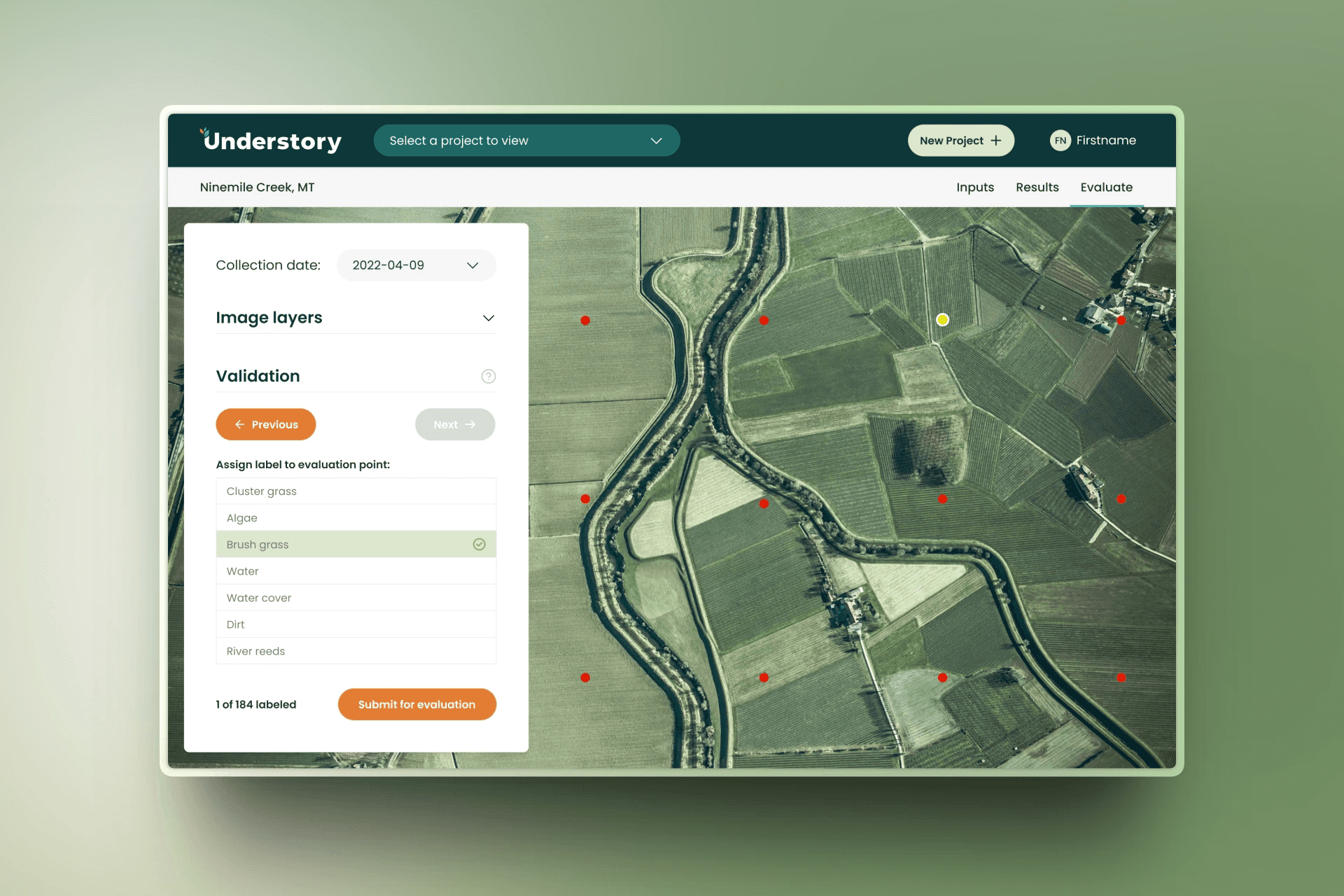
Aerial map interface with green fields and winding river. Left sidebar displays date, image layers, and validation options for analysis.

Overview

Understory is an AI-powered conservation platform used by environmental scientists to turn complex ecological data into real-world climate action.

I partnered with the team to overhaul the UI/UX, transforming an engineer-built beta into a user-centered product that balances scientific depth with clarity so that insights are easier to access, trust, and act on as the platform scales.
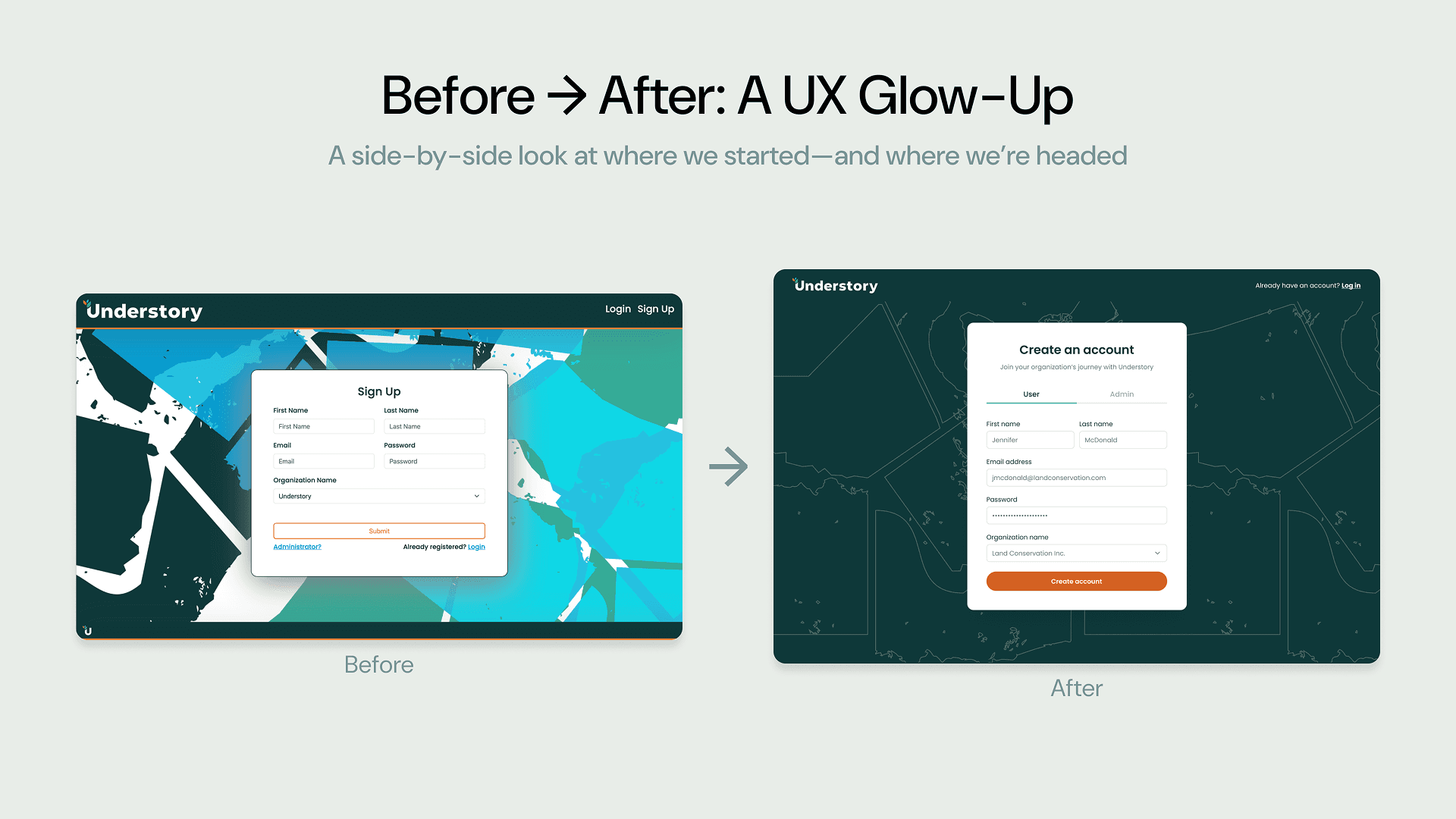
Comparison of a user interface before and after redesign. The 'before' shows a cluttered, colorful background with a basic sign-up form. The 'after' displays a cleaner, dark-themed background with an updated 'Create an account' form, illustrating a modern, streamlined design.
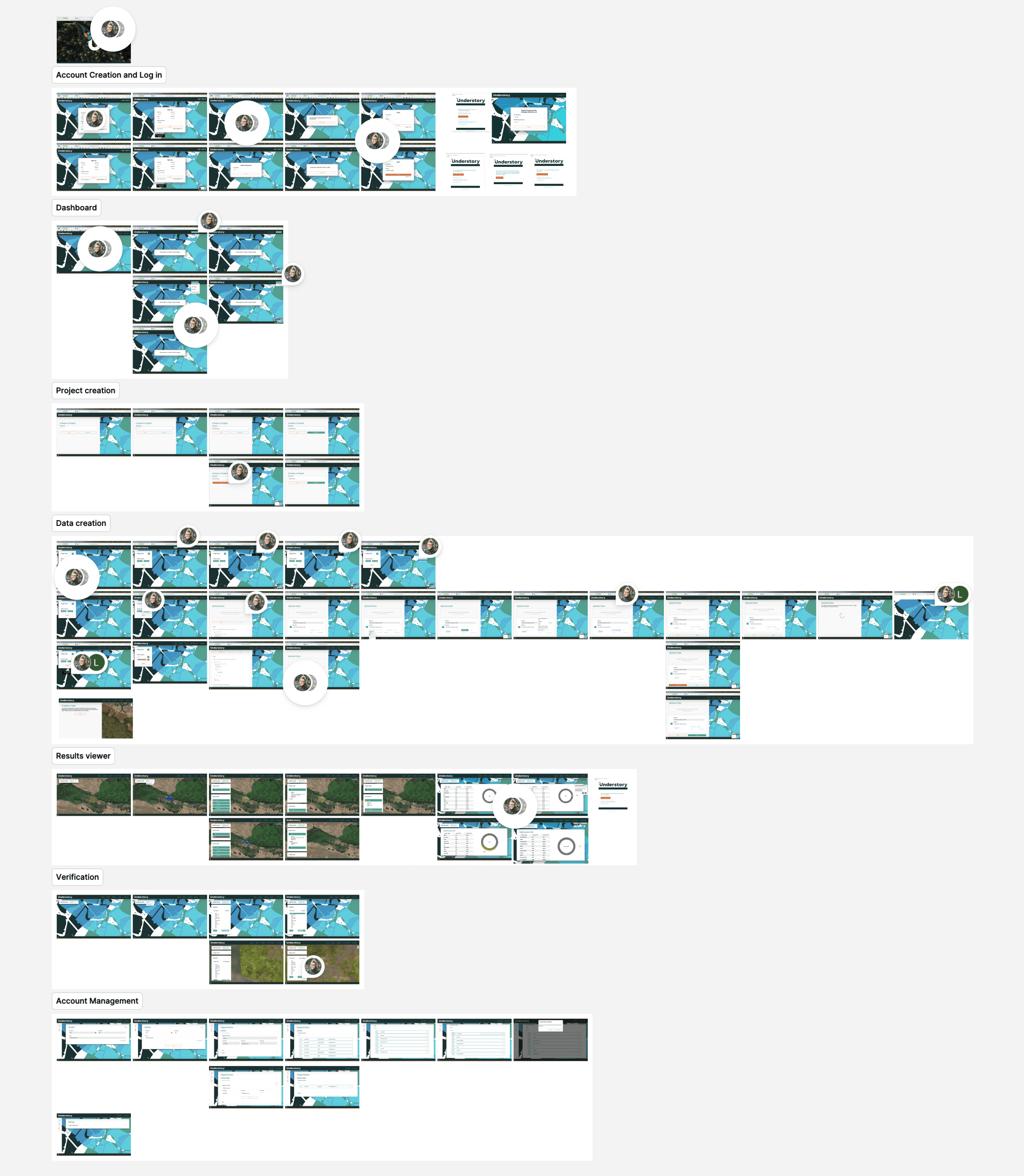
Flowchart of the old product screenshots with comments depicting stages of account creation, login, dashboard navigation, project, and data creation, plus result review, verification, and management.
A sequence of six screenshots from a platform called "Understory." The top row shows blank interfaces with dropdown menus. The bottom row features vibrant blue and teal maps with sign-in dialogs and a login screen.

Project & Process

Designing for scale, not just accuracy

Understory’s early product was technically sound but difficult to use. Built by a front-end engineer, the interface followed system logic rather than user expectations, requiring hands-on onboarding and limiting adoption beyond early beta users.

As the team prepared to scale, the goal became clear: preserve the scientific rigor while making the experience intuitive enough to stand on its own.

I proposed a focused engagement: UX audit, design recommendations, system refinement, and implementation. Planned to be followed by user interviews to collect feedback before expanding access.

Understanding before redesigning

I kicked off the project with stakeholder interviews and industry research, studying how adjacent tools present dense, spatial data without overwhelming users.

From there, I audited every screen in the product, documenting friction points, missing patterns, and opportunities to improve clarity, hierarchy, and flow. The audit surfaced a consistent theme: too much cognitive effort was required to complete even basic tasks.

Untangling complexity

The redesign focused on four core principles:

  • Guided workflows to help users move confidently through complex tasks

  • Clear visual hierarchy to surface what matters most, when it matters

  • A scalable design system to support growth beyond beta

  • Insight-driven spatial interactions that connect data to action

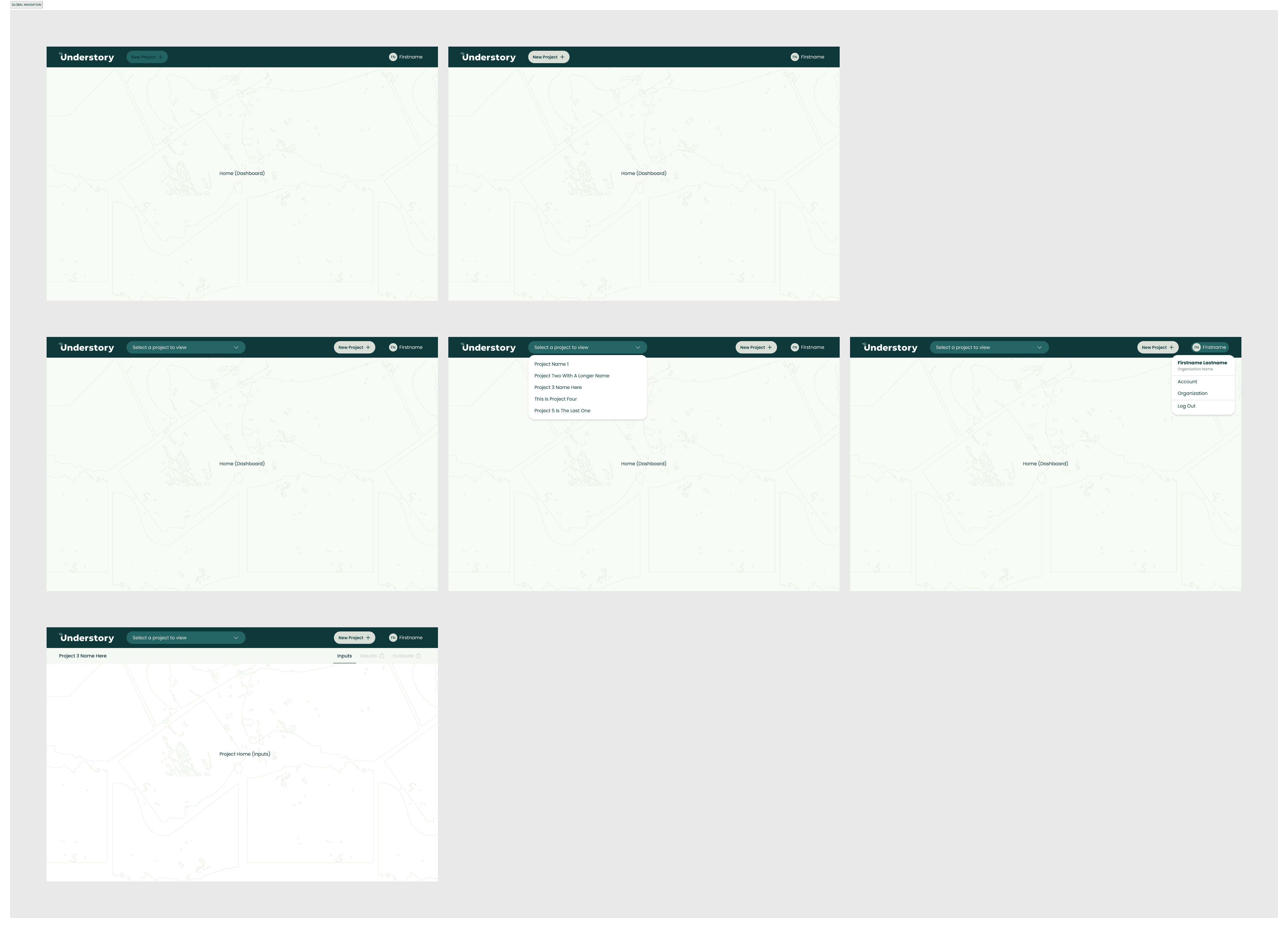
Early wireframes reimagined the global UI (navigation, layout, and structure) helping align the team around a shared vision before moving into high-fidelity design.

From foundations to flows

I established a design system foundation and rebuilt key flows end to end, including onboarding, dashboard, project creation, results viewing, and verification.

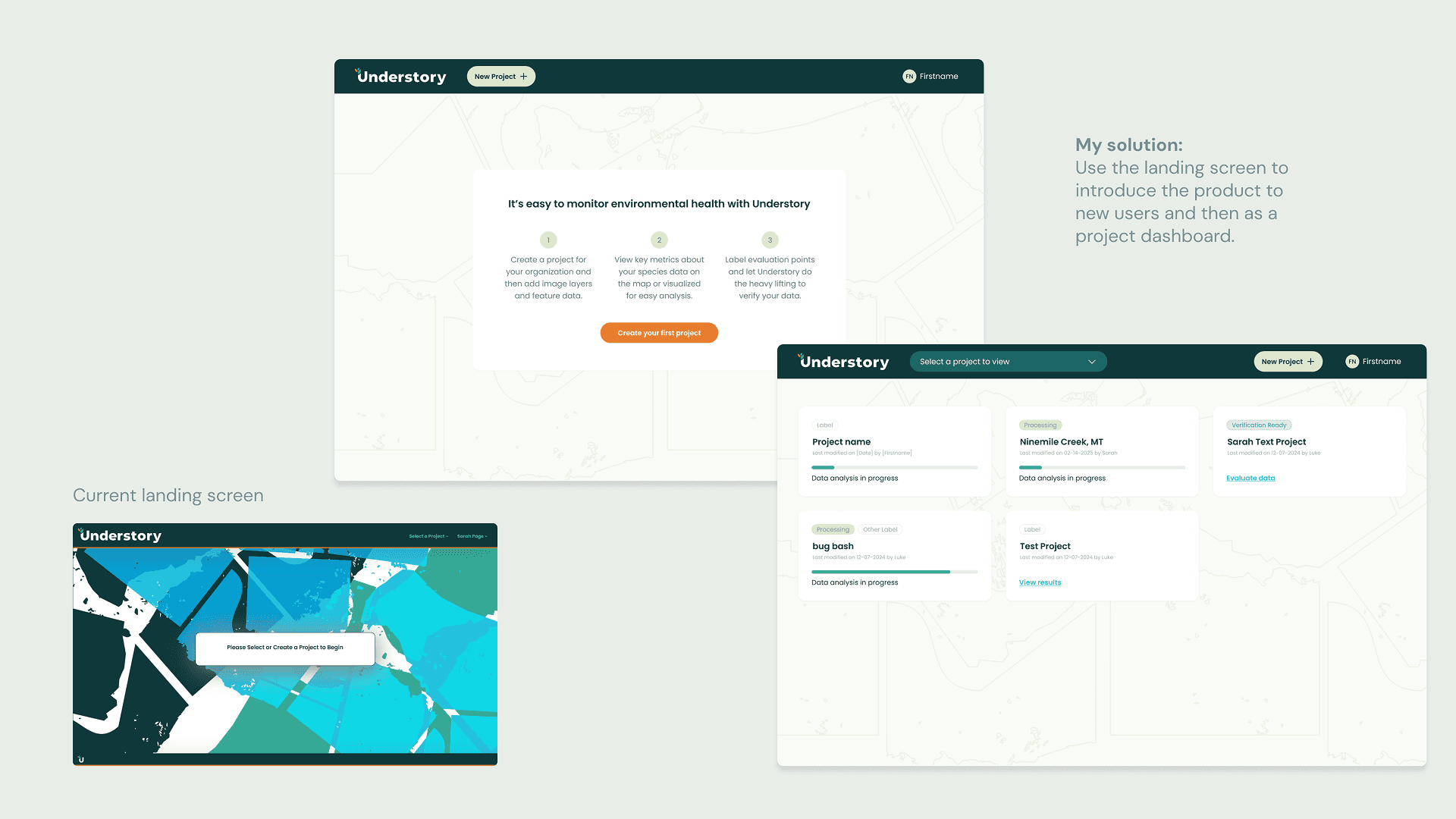
One notable shift was rethinking the empty landing state. Instead of a blank screen, it became a flexible dashboard which would introduce the product to new users while giving returning users quick access to recent projects. A small change that made the product feel alive, purposeful, and scalable.

Every screen was designed to present the right level of detail at the right moment, making advanced workflows feel approachable without diluting scientific integrity.
Explore the design file →

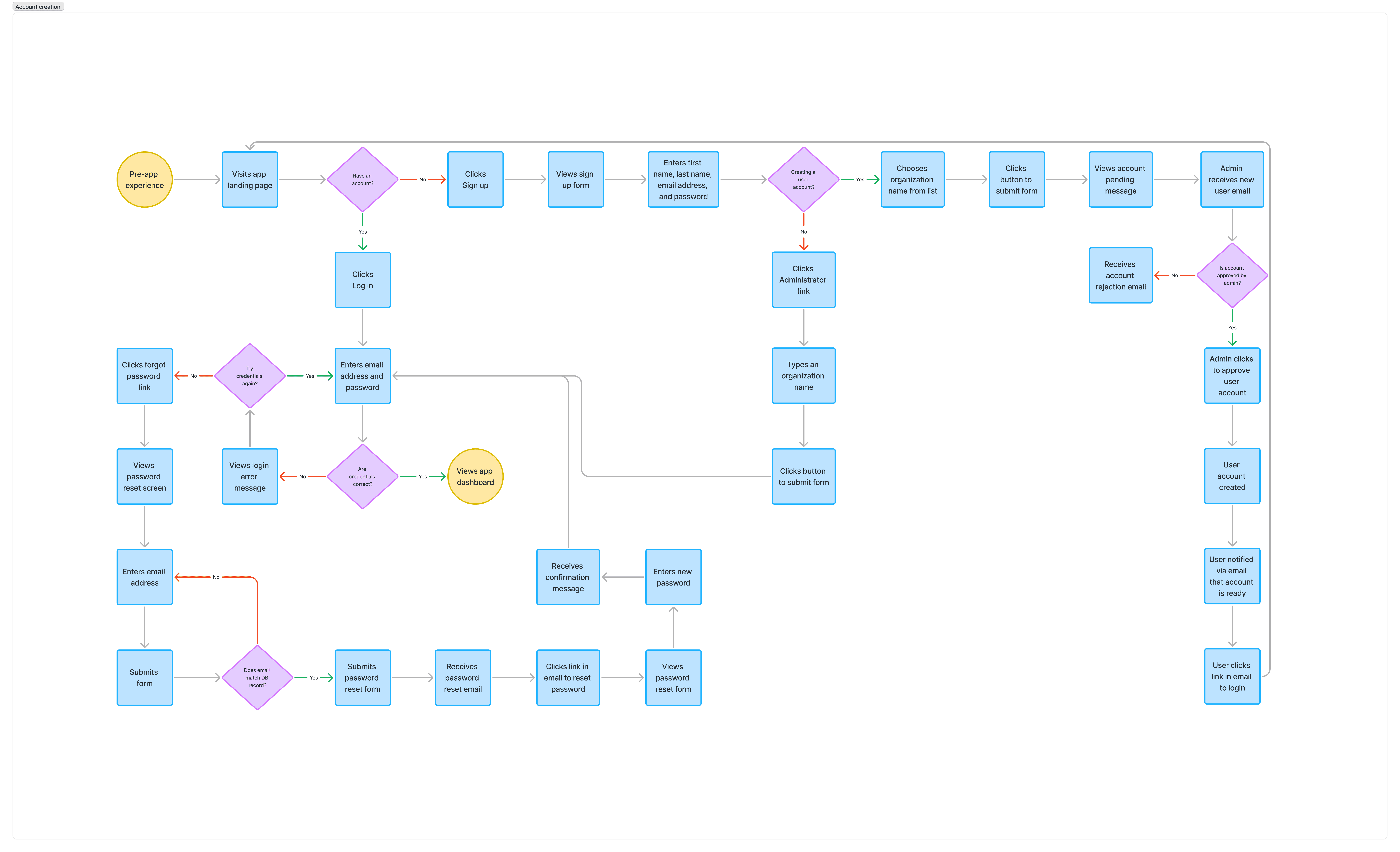
Flowchart depicting a user registration process. It includes diamond-shaped decision points, blue action steps, and circular start and end nodes, outlining a sequence to complete user onboarding.
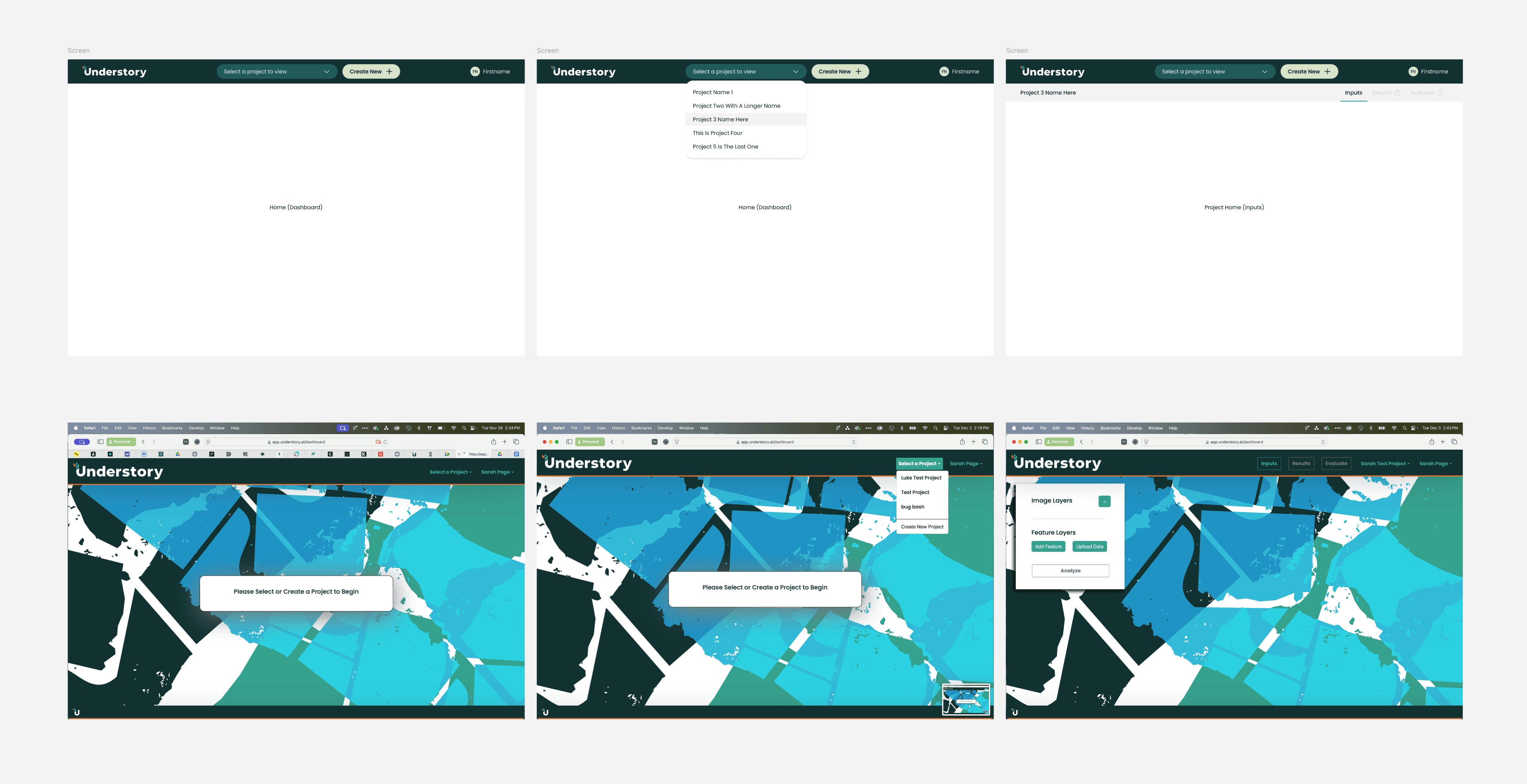
A series of five screens showing global navigation of an application, titled "Understory".
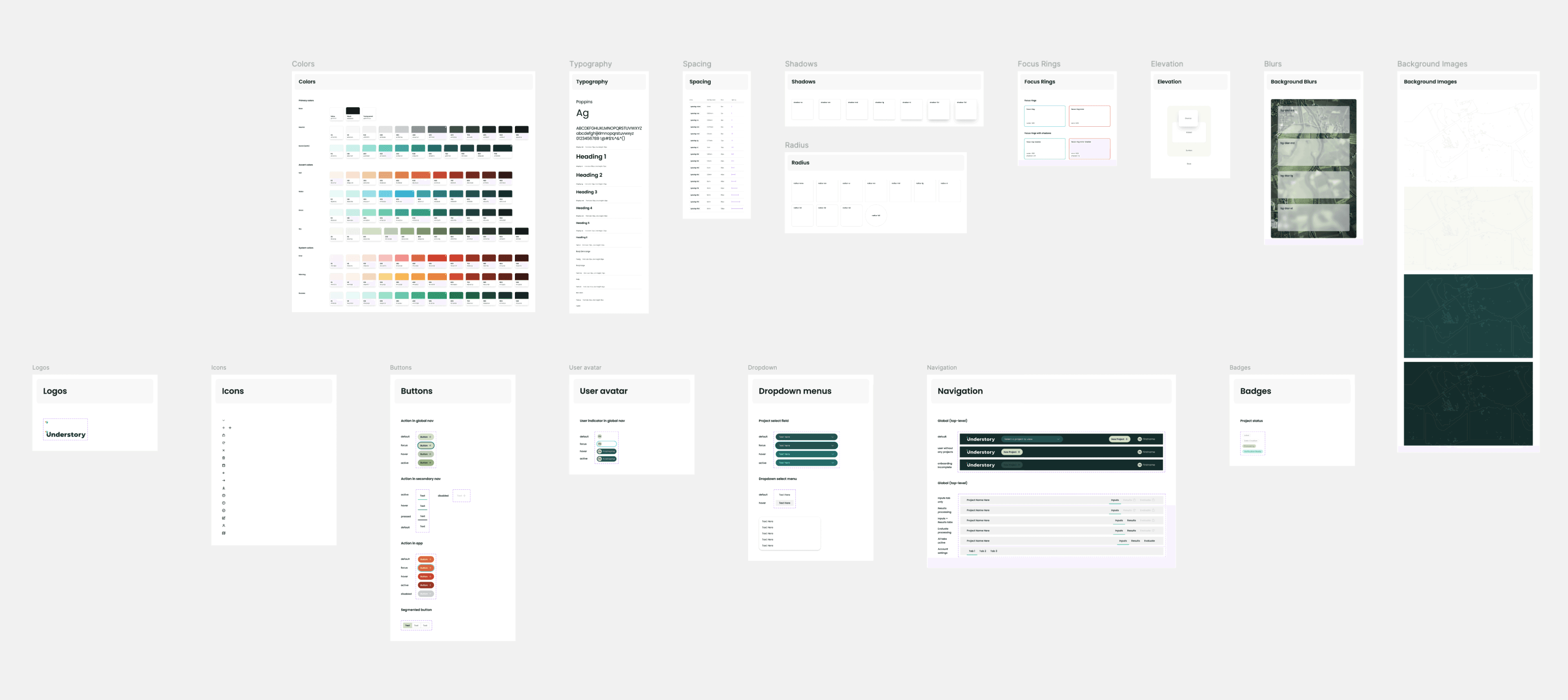
Design system mockup with color palettes, typography, buttons, and UI elements. Clean layout, diverse color swatches, and modern interface components.
Interface redesign showing three screens for 'Understory.' Top screen highlights product benefits with a clean dashboard layout. Bottom left shows the current screen with a blue-green map design. Bottom right presents a project dashboard.
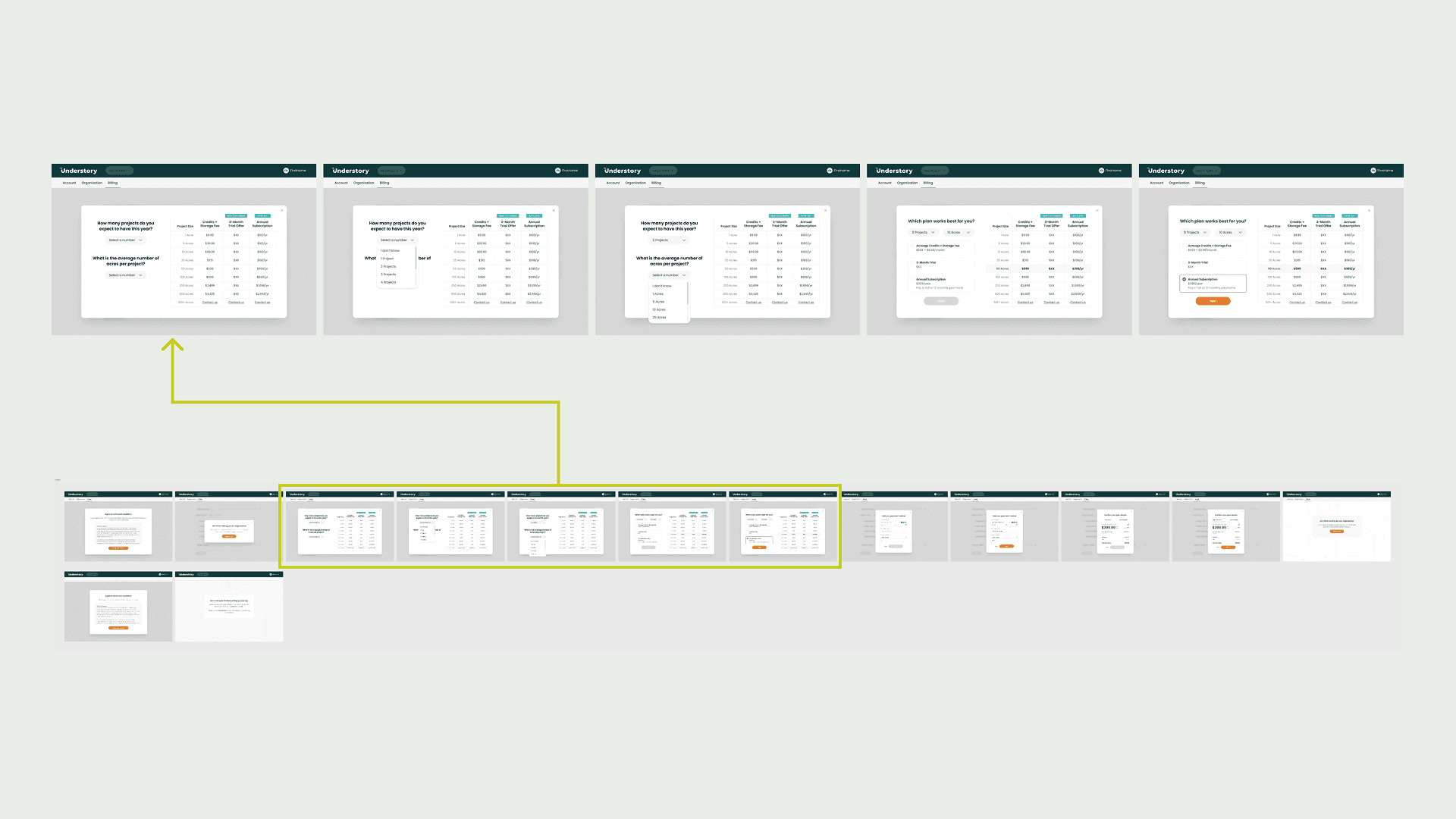
Flowchart displaying a series of onboarding layouts in a sequence.
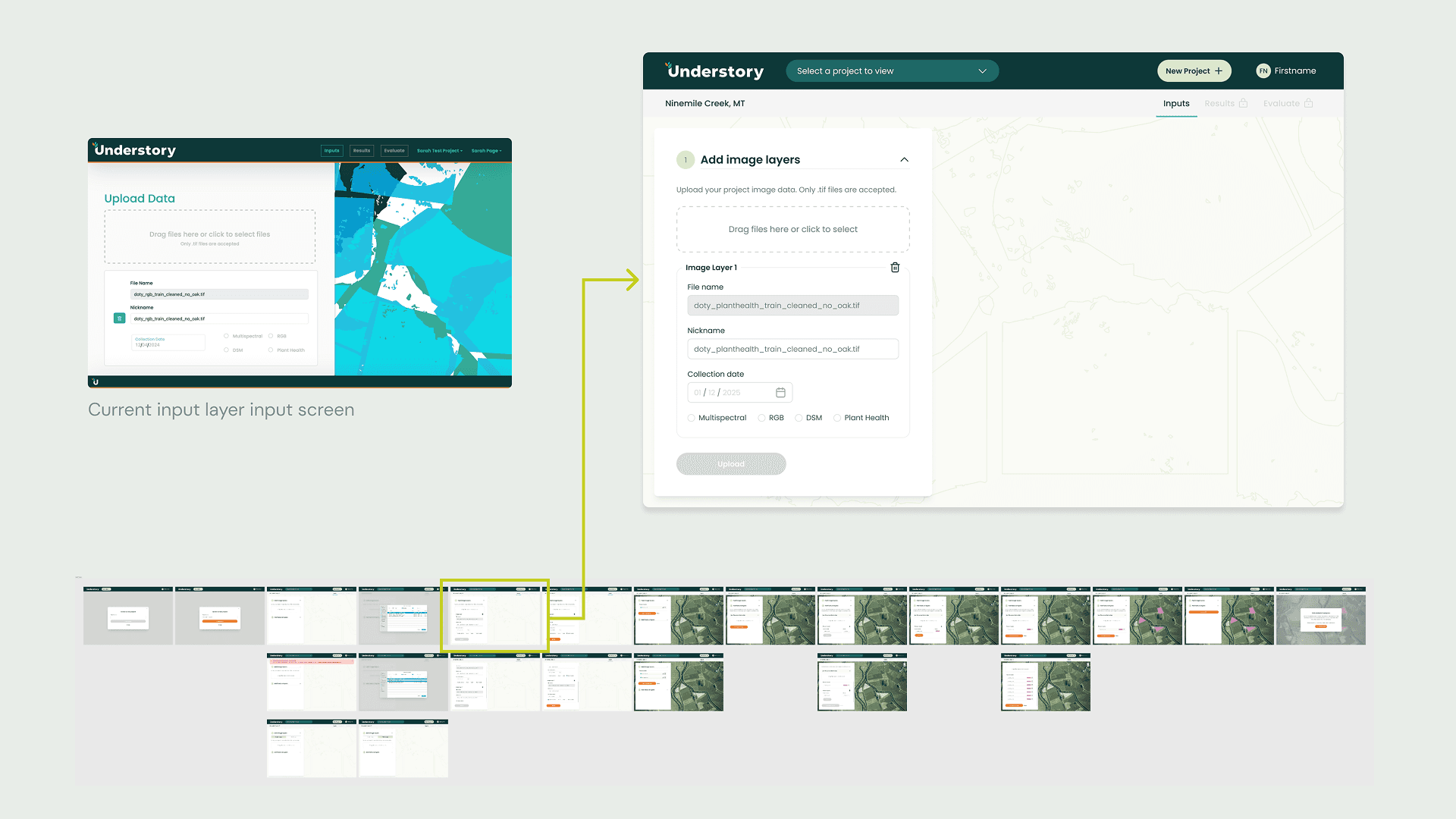
Screenshot of Understory interface showing current input layer screen with a map and data upload options. Includes a detailed content overview panel.

Outcomes & Learnings

The redesigned experience significantly improved usability, turning an already powerful platform into one that feels intuitive, credible, and ready for broader adoption.

The work laid a strong foundation for beta feedback and future iteration, helping Understory move closer to its mission of accelerating climate action through better tools.

"Sarah, great job on everything! This is so much clearer for the end user!!! I really love the addition of the layman "how large is your project", it makes it really accessible to the folks in the field. It's a great foundation and I can't believe how much you've been able to simplify things! Really impressive!!!"

— Ross Davison, CEO, Understory.ai